Website Events

Last updated: Aug 17, 2026

What is Website Events

Website Events are specific interactions or behaviours on a website tracked independently of a basic page load, such as a file download, form submission, or video play. Analytics platforms like Google Analytics 4 record each defined action as a discrete count, separate from pageviews.

Alternate names: Events

Website Events Formula

ƒ Count(Website Events)

How to calculate Website Events

A SaaS company configures a file_download event in GA4 to fire whenever a visitor clicks their pricing guide PDF link. Over one month, the event fires 340 times, giving the marketing team a concrete count of bottom-of-funnel engagement that pageview data alone would not reveal.

Start tracking your Website Events data

Use PowerMetrics, modern analytics platform, to monitor your data. Choose a service below to start tracking your Website Events instantly.
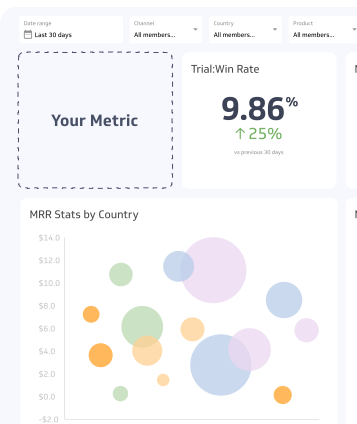
PowerMetrics Dashboard

How to visualize Website Events?

Use a summary chart to visualize your Website Events data and compare it to a previous time period.

Website Events visualization example

Website Events

1713 events

arrow-right icon

75.13

vs previous period

Summary Chart

Here's an example of how to visualize your current Website Events data in comparison to a previous time period or date range.
arrow-right icon
arrow-right icon

Website Events

Chart

Measuring Website Events

More about Website Events

What are website events?

A Website Event is any defined user interaction that your analytics platform records as a discrete action. Common examples include:

  • File downloads: A user clicks a link to download a PDF, whitepaper, or spreadsheet
  • Form submissions: A visitor completes and submits a contact, lead, or signup form
  • Video plays: A user starts, pauses, or completes an embedded video
  • Scroll depth: A visitor scrolls past a defined threshold on a page (e.g., 50% or 90%)
  • Outbound link clicks: A user clicks a link that takes them away from your site
  • Session duration triggers: A session exceeds a defined length, such as 30 seconds of active engagement

Each Event type can be configured with additional parameters (such as event name and value) to add context to the raw count.

How website events are measured

The metric is a simple count of how many times a defined Event fires within a given time period. In GA4, many Events are collected automatically (called "enhanced measurement"), while others require manual configuration via Google Tag Manager or direct code implementation.

Events in GA4 are structured around an event name plus optional parameters. For example, a file download Event might be named file_download with a parameter indicating the file name and type.

Why website events matter

Pageviews tell you where users go. Events tell you what users do. This distinction is critical for teams trying to connect website activity to business outcomes.

Measuring engagement beyond traffic

Raw traffic numbers can be misleading. A page with high traffic but low Event activity may indicate that visitors are not finding what they need or are not taking the intended next step. Tracking Events gives you a fuller picture of whether your content is working.

Supporting conversion analysis

Events sit at the core of conversion tracking. In GA4, any Event can be marked as a conversion, which means you can define what "success" looks like for each page or campaign and measure it directly. This makes Events foundational to understanding which channels, campaigns, or content pieces drive meaningful action.

Informing UX and content decisions

Event data reveals friction points and opportunities. If a form submission Event fires rarely despite high page traffic, that signals a UX problem with the form itself. If a video play Event fires frequently, that content format is resonating and worth investing in further.

Common event types and use cases

Event typeExample triggerBusiness use
File downloadPDF, whitepaper, template clickLead generation, content engagement
Form submissionContact, demo, or signup formConversion tracking
Video interactionPlay, pause, completeContent engagement
Scroll depth50%, 75%, or 90% scrollPage engagement quality
Outbound clickExternal link clickPartnership or referral tracking
Session durationSession exceeds 30 secondsEngagement quality signal

GA4 and the shift in event tracking

Google Analytics 4 replaced Universal Analytics (UA) in 2023 and brought a significant change to how Events work. In UA, Events required a four-part structure: Category, Action, Label, and Value. GA4 simplified this to a flexible event-plus-parameters model, making it easier to track custom interactions without rigid taxonomy.

GA4 also introduced automatic event collection for common interactions (scrolls, outbound clicks, site search, video engagement, file downloads), reducing the manual setup burden. However, custom Events still require configuration for actions specific to your site.

Best practices for event tracking

  • Define Events before you build: Establish a naming convention and tracking plan before implementation to keep data consistent across your site
  • Use descriptive event names: Names like form_submit_contact are more useful than generic labels like click
  • Avoid over-tracking: Tracking every possible interaction creates noise; focus on Events tied to business goals
  • Validate with DebugView: Use GA4's DebugView to confirm Events fire correctly before publishing changes
  • Document your setup: Maintain a tracking plan so your team understands what each Event measures and why

Limitations and common challenges

Double-counting: If the same Event is triggered by multiple tags or configurations, counts inflate. Audit your Tag Manager setup regularly.

Sampling in reports: High-traffic properties may encounter data sampling in GA4's standard reports. Use BigQuery exports or the GA4 Data API for unsampled data when precision matters.

Attribution gaps: Events record that an action happened, but attributing that action to the right channel or campaign requires proper UTM tagging and attribution model configuration.

Consent and privacy: In regions with strict privacy regulations (GDPR, CASL), users who decline cookie consent may not be tracked, leading to undercounting. Factor this into your analysis.

Website Events Frequently Asked Questions

What is a Website Event in Google Analytics?

arrow-right icon

A Website Event is a defined user interaction recorded by your analytics platform independently of a pageview. Examples include file downloads, form submissions, video plays, and scroll depth triggers.

How are Website Events different from pageviews?

arrow-right icon

Pageviews fire automatically when a page loads. Website Events only fire when a user takes a specific action you have defined, such as clicking a download link or submitting a form.

Do Website Events require custom setup?

arrow-right icon

In GA4, many common Events (scrolls, outbound clicks, file downloads) are collected automatically via enhanced measurement. Custom interactions specific to your site still require configuration through Google Tag Manager or direct code implementation.

Recommended resources related to Website Events

Learn more about how Google defines Website Events here.