A fitness brand posts a workout tutorial on Instagram. By the end of the first week, the video has received 1,200 likes. The Video Likes count for that video is 1,200. A second video posted the same week received only 340 likes, indicating the tutorial format outperformed the second video in audience approval.
Video Likes
Last updated: Aug 02, 2026
What is Video Likes?
Video Likes is a count of the likes a video has received on a social media platform, used to measure audience appreciation and engagement. Marketers track this metric to evaluate content quality, compare video performance across campaigns, and understand which formats drive the strongest audience response.
Video Likes Formula
ƒ Count(Video Likes)
How to calculate Video Likes
Start tracking your Video Likes data
Use PowerMetrics, modern analytics platform, to monitor your data. Choose a service below to start tracking your Video Likes instantly.


How to visualize Video Likes?
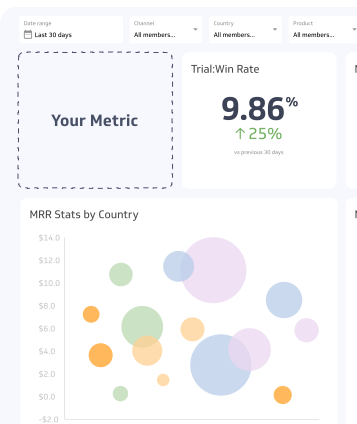
It can be fairly straightforward to measure Video Likes with a summary chart, letting you compare the current value to a previous time period.
Video Likes visualization example

Summary Chart
Here's an example of how to visualize your current Video Likes data in comparison to a previous time period or date range.

Video Likes
Chart
Measuring Video LikesMore about Video Likes
Why Video Likes matter
Likes serve as a fast, low-friction signal of audience sentiment. A viewer who likes a video is expressing approval without leaving a comment or sharing the content — making likes one of the most common engagement actions across platforms.
For marketers, Video Likes matter for several reasons:
Algorithm visibility: On YouTube, Instagram, and TikTok, likes contribute to how platforms rank and recommend content. More likes generally means broader organic reach.
Social proof: A high like count signals credibility to new viewers, increasing the likelihood they watch and engage.
Content benchmarking: Comparing likes across videos helps identify which topics, formats, and styles resonate most with a target audience.
Campaign evaluation: Tracking likes over a campaign period shows whether audience interest is growing, plateauing, or declining.
Video Likes in context
Video Likes should not be read in isolation. A video with 500 likes on a channel with 1,000 subscribers tells a very different story than 500 likes on a channel with 500,000 subscribers. Pairing Video Likes with engagement rate — likes divided by total views or reach — gives a more meaningful picture of how content is performing relative to its audience size.
Like counts have also evolved across platforms. YouTube removed the public dislike count in 2021, making likes the primary visible sentiment signal. On TikTok, likes (hearts) are among the most tracked engagement metrics alongside shares and comments. On LinkedIn, reactions have expanded beyond a single like, which can affect how Video Likes data is collected and interpreted depending on your analytics tool.
Common challenges
Likes as a vanity metric: High like counts can mask poor conversion or watch-time performance. A video can accumulate likes without viewers watching past the first few seconds. Always cross-reference likes with watch time, click-through rate, and completion rate.
Platform differences: Each platform counts and displays likes differently. Aggregating Video Likes across platforms requires consistent definitions — confirm whether your reporting tool counts native likes only or includes reactions (e.g., LinkedIn's "Celebrate" or "Love").
Audience size skew: Newer accounts or smaller channels will naturally generate fewer likes regardless of content quality. Normalize likes against reach or subscriber count when comparing performance across accounts or time periods.
Best practices
Track likes per video, not just totals. Aggregate like counts obscure which individual pieces of content are driving engagement.
Set baselines before benchmarking. Establish your average Video Likes per post before drawing conclusions about performance trends.
Combine with qualitative signals. High likes with low comments may indicate passive approval; high comments with moderate likes may indicate stronger intent or debate. Read both together.
Monitor trends over time. A single video's like count matters less than whether your like counts are growing across a content series or campaign.
Video Likes Frequently Asked Questions
Are Video Likes a reliable measure of content performance?
Video Likes are a useful signal of audience approval, but they are best used alongside other metrics such as watch time, completion rate, and click-through rate. Likes alone do not indicate whether viewers took any action after watching.
How do Video Likes differ across platforms?
Each platform defines and displays likes differently. YouTube shows only likes (dislike counts were made private in 2021). TikTok uses hearts as its like mechanic. LinkedIn offers multiple reactions beyond a standard like. When aggregating Video Likes across platforms, confirm your analytics tool applies a consistent definition.
Contributor