A SaaS app has 1,000 active subscriptions. In a single month, 30 customers cancel. The Unsubscribes count for that month is 30. That figure tells the retention team exactly how many customers entered the cancellation window and need outreach before their access expires.
Unsubscribes
Last updated: Aug 25, 2026
What is Unsubscribes?
Unsubscribes is the count of users who cancel or do not renew their subscription in a given period. Teams track this metric to catch at-risk customers early and act before the loss becomes permanent.
Alternate names: Opt-Outs, CancellationsUnsubscribes Formula
ƒ Count(Unsubscribes)
How to calculate Unsubscribes
Start tracking your Unsubscribes data
Build and track this metric in PowerMetrics, a modern analytics platform that lets you define metrics and connect your own data.
Get PowerMetrics Free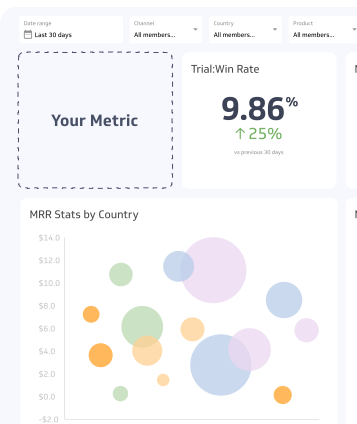
How to visualize Unsubscribes?
Use a summary chart to visualize your Unsubscribes data and compare it to a previous time period.
Unsubscribes visualization example

Summary Chart
Here's an example of how to visualize your current Unsubscribes data in comparison to a previous time period or date range.

Unsubscribes
Chart
Measuring UnsubscribesMore about Unsubscribes
How unsubscribes differ from churn
Unsubscribes and churn are related but distinct. An unsubscribe is the cancellation action; churn is the final outcome when the subscription expires. The gap between the two is the retention window, and it matters.
A customer who has unsubscribed but whose subscription has not yet lapsed is still reachable. Retention offers, discount codes, or a direct conversation have a realistic chance of reversing the decision. Once the subscription expires and the customer churns, winning them back is harder and more expensive.
Tracking Unsubscribes separately from churn gives you visibility into that window. Without it, you only see the loss after it has already happened.
Using unsubscribes as an early warning signal
A rising Unsubscribes count often surfaces a problem before it shows up in revenue metrics. When the number climbs, it is worth asking what changed: a price increase, a product update, a shift in support quality, or a competitor move.
Segmenting Unsubscribes by customer cohort adds precision. Breaking the count down by plan tier, acquisition channel, company size, or tenure can reveal which segments are cancelling at higher rates. That pattern points toward root cause more reliably than the aggregate number alone.
Time-based analysis adds another layer. If cancellations spike at the same point each year, that seasonal pattern can be built into your retention calendar so you are prepared rather than reactive.
Connecting unsubscribes to customer satisfaction
A sustained increase in Unsubscribes is often a signal of a broader customer satisfaction problem. Customers rarely cancel without a reason, even if they do not state one explicitly.
Pairing Unsubscribes with satisfaction data, such as survey scores collected at cancellation or Net Promoter Score trends, helps distinguish between isolated dissatisfaction and a systemic issue. If unsubscribe rates are climbing while satisfaction scores are flat, the problem may be competitive rather than experiential. If both are moving in the same direction, the product or service experience needs attention.
What drives unsubscribes up
Several factors tend to increase the Unsubscribes count:
Price sensitivity: A price increase or the availability of a cheaper alternative prompts customers to reconsider.
Unmet expectations: Customers who signed up expecting a specific outcome and did not achieve it are more likely to cancel.
Low engagement: Customers who rarely use the product have less reason to keep paying for it.
Poor onboarding: Customers who never fully adopted the product are at higher risk from the start.
Life events and budget cuts: External factors, including economic pressure or organizational restructuring, can trigger cancellations that have nothing to do with product quality.
Limitations of the raw count
The raw Unsubscribes count does not adjust for the size of the subscriber base. A count of 50 unsubscribes means something different for a company with 500 customers than for one with 50,000.
For a normalized view, track the unsubscribe rate: divide the Unsubscribes count by the total active subscriptions at the start of the period. That rate makes trends comparable across time and across segments, regardless of how the overall subscriber base has grown or shrunk.