What is Form Completions?
Form Completions is the number of times visitors successfully submit a form on a website. The count shows how many people took a step you asked them to take, such as requesting support, asking for a quote, or joining a list. It helps you judge whether a page, campaign, or offer is producing real responses rather than just visits. It informs decisions about where to place forms, which fields to keep, and which channels deserve more budget.
Form Completions Formula
How to calculate Form Completions
A bakery's website has two forms: a complaint form and a newsletter sign-up. In one week, five people submit the complaint form and 95 people sign up for the newsletter.
Formula: Form Completions = number of successful form submissions in a period
- Count complaint form submissions: 5
- Count newsletter sign-ups: 95
- Add them: 5 + 95 = 100
The site recorded 100 Form Completions for the week. The split matters more than the total: nearly all the activity came from the newsletter, and the five complaints may deserve a closer look.
Start tracking your Form Completions data
Use PowerMetrics, modern analytics platform, to monitor your data. Choose a service below to start tracking your Form Completions instantly.

How to visualize Form Completions?
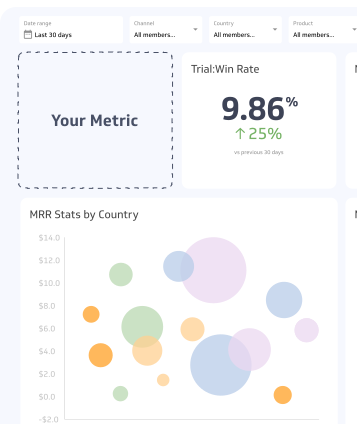
Use a summary chart to visualize your Form Completions. This lets you compare the current value to a previous time period.
Form Completions visualization example

Summary Chart
Here's an example of how to visualize your current Form Completions data in comparison to a previous time period or date range.
More about Form Completions
How to interpret Form Completions
A raw count only means something against a baseline. Compare it with the same form in earlier periods, and read it alongside traffic.
- Rising completions with steady traffic: The form, offer, or audience quality is improving.
- Rising completions with rising traffic: Growth may come only from more visitors. Check the rate, not just the count.
- Falling completions with steady traffic: Look for a broken form, a changed page, a new required field, or a weaker offer.
- Flat completions after a campaign: The campaign may be sending visitors who are not interested in the form's offer.
What drives Form Completions up or down
Several factors influence how many people finish a form.
| Driver | Effect on completions |
|---|---|
| Number of fields | Shorter forms are usually easier to finish; each added field is another reason to quit |
| Value of the offer | A guide, quote, or discount that visitors want makes them more willing to share details |
| Placement | Forms that appear where visitors are already engaged get more attention |
| Traffic source and intent | Visitors who arrive looking for the offer complete forms more often than casual browsers |
| Technical performance | Slow loading, mobile layout problems, and validation errors stop submissions |
| Trust signals | Privacy statements and clear expectations about follow-up reduce hesitation |
Common variations in how Form Completions is counted
Count a submission only when the visitor finishes the form and the site confirms it, for example with a thank-you page or a confirmation event. Conventions vary, so decide these rules once and apply them consistently.
- Repeat submissions: Most tools count every submission, so one person who submits twice counts twice. Some teams count unique submitters instead. Pick one and label it.
- Spam and test entries: Exclude them if your tool can filter them. Otherwise the count will overstate real interest.
- Multiple forms: Report each form separately as well as the total, because the total hides what each form does.
Using Form Completions with Form Views
Form Completions shows volume. To understand efficiency, compare it with Form Views, the number of times a form was displayed.
Form Conversion Rate = (Form Completions / Form Views) x 100
If a form is viewed 2,000 times and completed 100 times, its Form Conversion Rate is 5%. Two forms can have the same Form Completions and very different rates, which tells you which one is working harder for its audience.
Form analytics tools can add detail beyond these two numbers: the field where visitors give up, completions over time, and completions by form type or traffic source.
Common pitfalls with Form Completions
- Treating the total as the whole story. A combined count across forms hides which ones perform. Segment by form and by source.
- Counting low-quality submissions. Spam, bots, and accidental submissions inflate the number without adding value. Pair the count with a measure of qualified leads where leads matter.
- Ignoring traffic changes. A higher count after a traffic spike does not mean the form improved.
- Double counting. Tracking set up on both the button click and the thank-you page can record each submission twice.
- Changing the definition midstream. Switching from all submissions to unique submitters breaks comparisons with earlier periods.
- Chasing volume over fit. Removing every field raises completions but can reduce the information your team needs to respond well.
Related metrics
Form Completions works best alongside a few neighbouring measures:
- Form Views: how often the form was shown, which supplies the denominator for the rate.
- Form Conversion Rate: the share of views that end in a completion.
- Form Abandonment Rate: the share of visitors who start a form but do not finish it, which points to friction inside the form.
Form Completions Frequently Asked Questions
Is Form Completions the same as Form Submissions?
Yes, in most tools the two names describe the same count. Check how your tool treats failed validations and repeat submissions, because those rules can differ.
Does one person submitting twice count as two Form Completions?
Usually yes. Most tools count each successful submission, so repeat submissions from one visitor count separately. If you need people rather than submissions, track unique submitters and label the metric clearly.