What is Campaign Unique Clicks?
Campaign Unique Clicks is the number of individual people who clicked at least once on the ads in a campaign during a set period. A campaign groups ads under one business objective, such as a product launch or a lead generation push. The metric shows how many distinct people your campaign moved to act, not how many clicks it collected. That makes it a cleaner read on reach and interest than total clicks, which repeat visitors and accidental double-clicks can inflate. Use it to compare campaigns, judge creative, and decide where to put budget.
Campaign Unique Clicks Formula
How to calculate Campaign Unique Clicks
A garden supply shop runs a spring sale campaign with three ads over two weeks. The ads collect 1,200 total clicks.
- Ad A: 500 clicks from 400 distinct people.
- Ad B: 450 clicks from 300 distinct people.
- Ad C: 250 clicks from 200 distinct people.
- Across all three ads, 150 people clicked more than one ad.
Add the per-ad people (400 + 300 + 200 = 900), then subtract the overlap so no one is counted twice. If all 150 overlapping people clicked exactly two ads, the campaign total is 900 - 150 = 750.
Campaign Unique Clicks is 750. The campaign drew 1,200 clicks but reached 750 people, or about 1.6 clicks per person. That suggests strong interest from a smaller group rather than a wide audience.
Start tracking your Campaign Unique Clicks data
Build and track this metric in PowerMetrics, a modern analytics platform that lets you define metrics and connect your own data.
Get PowerMetrics Free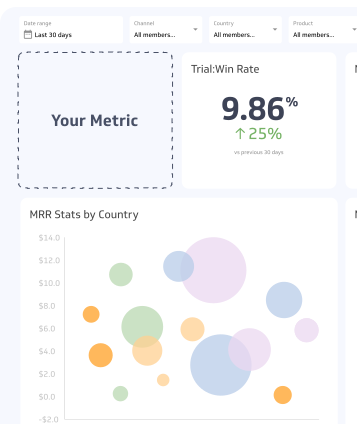
How to visualize Campaign Unique Clicks?
You can use a summary chart to compare the current count of Campaign Unique Clicks to a previous time period. Take a look at the example:
Campaign Unique Clicks visualization example

Summary Chart
Here's an example of how to visualize your current Campaign Unique Clicks data in comparison to a previous time period or date range.
More about Campaign Unique Clicks
How to interpret Campaign Unique Clicks
The number on its own tells you how many people responded. It becomes useful when you compare it with something else.
| Comparison | What it tells you |
|---|---|
| Unique clicks vs. total clicks | A large gap means repeat clicking. This can signal strong interest, confusing navigation, or accidental clicks. |
| Unique clicks vs. impressions or reach | Shows what share of the audience responded. A low share points to weak creative or poor targeting. |
| Unique clicks vs. last period | Shows whether the campaign is gaining or losing responsive people. |
| Unique clicks vs. spend | Shows what each responsive person costs you. |
Because the metric is a count, it grows with budget and audience size. Compare campaigns of different sizes using a rate or a cost per unique click, not the raw count.
What drives Campaign Unique Clicks up or down
Most movement comes from five factors:
- Audience size and targeting. A larger, better matched audience produces more distinct clickers. Targeting that is too narrow caps the count quickly.
- Creative and message. Clear offers and strong visuals draw first-time clicks. Weak ones get ignored.
- Placement and timing. Where and when ads appear changes who sees them. Ads shown to the same people repeatedly add impressions but few new unique clickers.
- Frequency. Showing an ad too often can raise total clicks while unique clicks flatten, and it can lead to ad fatigue.
- Budget and bidding. More spend buys more reach, which usually lifts unique clicks until the audience is saturated.
Common variations in how it is measured
Platforms do not all define a unique click the same way, so confirm the definition before you compare numbers.
| Variation | Effect on the count |
|---|---|
| Identification method (account, cookie, device) | The same person on a phone and a laptop may count twice with cookie or device tracking. |
| Click type (all clicks vs. link clicks) | Counting every click on an ad, including likes or expands, gives a higher number than counting only clicks to your site. |
| Time window (daily, weekly, whole campaign) | Longer windows count each person once; summing shorter windows counts repeat clickers more than once. |
| Cross-ad deduplication | Some tools deduplicate across the whole campaign; others only within each ad or ad set. |
Not every ad platform reports unique clicks at the campaign level. When one does not, teams often estimate with unique visitors from web analytics, which measures a different thing. Label which source you use.
Common pitfalls and misreadings
- Adding up unique clicks from ads or ad sets. The same person can appear in several, so the sum overstates the campaign total. Use the campaign-level figure.
- Treating clicks as interest. Accidental taps, especially on mobile, and bot traffic can raise the count. Check that landing page visits and conversions follow.
- Comparing across platforms. Different identity rules make cross-platform comparisons unreliable.
- Ignoring quality. A campaign with many unique clicks and no conversions is attracting the wrong people or sending them to a weak page.
- Judging by raw count alone. A bigger budget will raise the count. That says nothing about efficiency.
Best practices
- Set the reporting period before the campaign starts and keep it the same when you compare results.
- Pair this metric with cost per unique click and conversion rate so volume and quality are read together.
- Break results down by ad, audience, and placement to see which combinations bring in new people.
- Watch the ratio of total clicks to unique clicks. A rising ratio can be an early sign of ad fatigue.
- Record how your platform defines a unique click and keep that note with your reports.
How it relates to adjacent metrics
Campaign Unique Clicks sits between exposure and action. It follows impressions and reach, and it comes before landing page visits, leads, and conversions.
- Campaign Clicks counts every click, repeats included. Compare the two to gauge repeat behaviour.
- Unique click-through rate divides unique clickers by the people who saw the ad, which makes campaigns of different sizes comparable.
- Cost per click and cost per unique click turn the count into an efficiency measure.
- Conversion rate shows how many of those clickers took the action you wanted.
Unique clicks is a leading indicator of campaign response. Conversions and revenue are lagging, so a drop in unique clicks often shows up first as a drop in leads days or weeks later.
Campaign Unique Clicks Frequently Asked Questions
What is the difference between clicks and unique clicks?
Clicks count every click on an ad, including repeats from the same person. Unique clicks count each person once, no matter how many times they clicked.
Is a higher Campaign Unique Clicks number always better?
No. A higher count helps only if those people are the right audience and they go on to convert. Compare it with cost and conversion results before judging a campaign.
Why does my unique clicks total differ between platforms?
Platforms identify people differently, using accounts, cookies, or devices, and they define a click differently. Compare numbers only within one platform and one definition.