What is Photo Likes?
Photo Likes is the number of likes a photo post receives on a social media platform. It shows how many people reacted to a single image or a group of images. This metric is no longer widely used as a primary measure of social performance; consider Engagement Rate or Reach-based measures instead. A like takes one tap, so it says little about whether a photo changed what someone thought, did, or bought. It still works as a quick, directional check on which images your audience responds to.
Photo Likes Formula
How to calculate Photo Likes
A bakery posts three photos in one week: a sourdough loaf (120 likes), a croissant tray (80 likes), and a team photo (40 likes).
Formula: Average Photo Likes = total likes across photos / number of photos.
Steps: Total likes are 120 + 80 + 40 = 240. Average Photo Likes is 240 / 3 = 80.
What it means: The sourdough photo earned 50% more likes than the average. That suggests the audience prefers close-up product shots to people shots. It does not yet show that the sourdough photo sold more bread.
Start tracking your Photo Likes data
Build and track this metric in PowerMetrics, a modern analytics platform that lets you define metrics and connect your own data.
Get PowerMetrics Free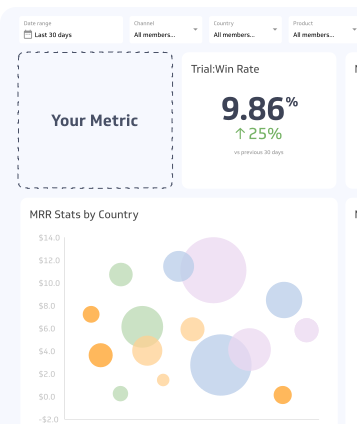
How to visualize Photo Likes?
It can be fairly straightforward to measure Photo Likes with a summary chart, letting you compare the current value to a previous time period.
Photo Likes visualization example

Summary Chart
Here's an example of how to visualize your current Photo Likes data in comparison to a previous time period or date range.
More about Photo Likes
What is Photo Likes used for?
Photo Likes helps you compare images against each other on the same account. If one style of photo consistently earns more likes than another, you have a clue about what your audience wants to see. Use it to choose between creative options, not to judge the health of your whole social strategy.
It is most useful in three situations:
- Early testing: Compare two or three visual styles when you have little other data.
- Content planning: Spot patterns in subjects, colours, or formats that attract a reaction.
- Quick reporting: Show a simple, familiar number to colleagues who are new to social analytics.
How to interpret Photo Likes
Compare each photo with your own recent posts, not with other accounts. A photo with more likes than your recent average is a signal worth investigating. A photo with fewer is not necessarily a failure.
Read the number alongside audience size. 100 likes means something different for an account with 500 followers than for one with 50,000. Dividing likes by followers gives a fairer comparison over time.
What drives Photo Likes up or down
Several factors move the number, and many have nothing to do with photo quality.
| Driver | Effect on Photo Likes |
|---|---|
| Audience size | A larger following usually means more likes |
| Posting time | Posts shown when followers are active gain early likes |
| Subject and format | People, products, and behind-the-scenes images perform differently by audience |
| Platform algorithm | Changes in what the feed shows alter how many people see a photo |
| Paid promotion | Boosted posts collect likes from people who do not follow you |
| Hidden like counts | Accounts can hide counts, which may change how people react |
Because reach varies so much from post to post, a drop in likes may simply reflect fewer people seeing the photo.
Why Photo Likes is considered a vanity metric
A vanity metric looks impressive but does not guide a business decision. Photo Likes fits that description for four reasons.
- Low effort: A like requires one tap and shows little intent.
- Weak link to results: Likes rarely connect to leads, sales, or retention.
- Easy to inflate: Giveaways, engagement groups, and purchased likes raise the count without building real interest.
- Reduced visibility: Instagram and Facebook let accounts hide like counts, so likes are a less public signal than they once were.
None of this makes the number useless. It makes it a starting point rather than a goal.
Common pitfalls
- Chasing the count: Optimizing for likes can push you toward content that is easy to like but does not support business goals.
- Ignoring reach: Two photos with the same likes can have very different results if one reached ten times more people.
- Mixing paid and organic: Boosted likes inflate averages. Separate them before comparing.
- Comparing across platforms: Likes mean different things on Instagram, Facebook, and other networks, and each platform counts them differently.
- Treating likes as sentiment: A like can mean approval, support, or a casual acknowledgment. It does not reveal why someone reacted.
Better alternatives and related metrics
Pair Photo Likes with measures that capture deeper interest and business value.
| Metric | What it adds |
|---|---|
| Engagement Rate | Combines likes, comments, shares, and saves, relative to reach or followers |
| Reach | Shows how many unique people saw the photo |
| Saves | Signals content people want to return to |
| Shares | Shows content people trust enough to pass on |
| Click-Through Rate | Connects a photo to website visits |
| Followers | Provides the audience size needed to put likes in context |
A common Engagement Rate formula is (likes + comments + shares + saves) / reach x 100. Some teams divide by followers instead of reach, so state which version you use and keep it consistent.
Best practices for tracking
Track Photo Likes as one input, not a headline number. Record the post date, format, subject, and whether it was paid. Review the average per photo each month, and flag outliers for a closer look at what made them different. When you report results to leadership, lead with Engagement Rate or conversions, and use Photo Likes to explain which creative choices helped.
Photo Likes Frequently Asked Questions
Is Photo Likes still a useful metric?
It is useful as a quick, directional signal for comparing photos on the same account. It is a poor measure of business results, so pair it with Engagement Rate, Reach, or click-based metrics.
Can I compare Photo Likes across platforms?
Not reliably. Each platform has different audiences, feed algorithms, and ways of counting likes. Compare photos within one platform and one account.
Does hiding like counts change the metric?
Account owners can still see their own counts, so you can keep tracking. Hidden counts may change how followers react, which can affect comparisons with older posts.