Post Clicks is the total number of times a post was clicked. This includes photo views, video plays, profile clicks, and content expansions, but excludes comments, likes, and shares.
A marketing team publishes an image post on LinkedIn that receives 3,200 impressions. The platform reports 480 clicks, which includes 310 image expansions, 95 profile clicks, and 75 "see more" text expansions.
Post Clicks = Count(Post Clicks) = 480
With 480 clicks from 3,200 impressions, the post achieved a 15% click-through rate — well above typical benchmarks for organic LinkedIn content. The high share of image expansions suggests the visual was compelling enough to prompt closer inspection.
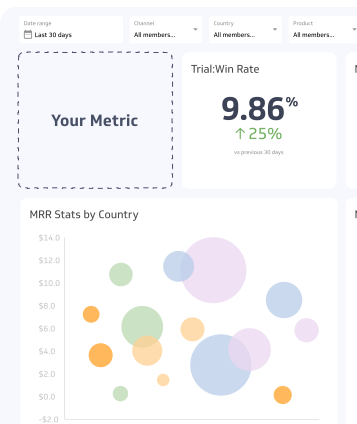
You can use a summary chart to compare the current count of Post Clicks to a previous time period. Take a look at the example:
Why Post Clicks matter
Clicks signal active interest. When someone scrolls past a post and clicks on it, they've chosen to engage beyond passive viewing. That's a meaningful signal — and one that likes and impressions don't capture on their own.
Post Clicks help you understand:
- Which content formats drive curiosity — video plays, image expansions, and "see more" clicks each tell you something different about what's resonating
- How well your copy and creative work together — a high impression count with low clicks suggests the content isn't compelling enough to act on
- What to test next — posts with strong click rates point toward formats and topics worth repeating
Post Clicks vs. click-through rate
Post Clicks and Click-Through Rate (CTR) measure related but distinct things.
| Metric | What it measures | Best used for |
|---|
| Post Clicks | Raw count of all clicks on a post | Comparing absolute engagement volume |
| Click-Through Rate | Clicks divided by impressions | Comparing efficiency across posts with different reach |
If two posts each received 500 clicks but one had 5,000 impressions and the other had 50,000, their click performance is very different. Use Post Clicks alongside CTR for a complete picture.
What counts as a click
Click definitions vary slightly by platform, but generally include:
- Photo or image views — clicking to expand or view an image
- Video plays — clicking to start or unmute a video
- "See more" expansions — clicking to read the full text of a longer post
- Profile clicks — clicking the author's name or avatar from the post
- Hashtag or link clicks — clicking embedded links or tags within the post body
Comments, likes, reactions, and shares are tracked separately and are not included in the Post Clicks count.
How to use Post Clicks effectively
Track clicks by content type. Break down your Post Clicks by format — video, image, text, carousel — to see which types drive the most interaction. This tells you where to invest your content production effort.
Pair with reach data. A post with high clicks but low reach may be performing well with a small audience. A post with high reach but low clicks may need stronger creative or a clearer call to action.
Use clicks to inform your content calendar. Posts that generate strong click activity — especially image expansions and video plays — signal topics and formats your audience finds worth exploring. Repeat and iterate on those patterns.
Watch for diminishing returns. If a post type consistently drives clicks early in its lifecycle but drops off quickly, it may be generating curiosity without delivering value. Monitor whether click behaviour correlates with downstream outcomes like profile visits or website traffic.
Common challenges
Clicks don't equal conversions. A high Post Clicks count is a positive signal, but it doesn't confirm that the audience took any meaningful next step. Pair Post Clicks with website traffic data or conversion tracking to understand the full journey.
Platform definitions differ. LinkedIn, Facebook, and X each define and count clicks slightly differently. Avoid direct cross-platform comparisons without accounting for these differences.
Inflated counts from accidental clicks. On mobile, accidental taps on images or profiles can inflate click counts, particularly for posts with dense layouts. This is a known limitation of the metric and worth keeping in mind when interpreting spikes.