A LinkedIn page is visited by 50 unique users in one day. The count of Page Unique Views for that day is 50. If one of those users visited the page five times in the same session, it still counts as one Page Unique View.
Page Unique Views
Last updated: Jun 04, 2026
What is Page Unique Views?
Page Unique Views is the count of individual users who loaded a specific page at least once within a session, filtering out repeat visits from the same person during that session.
Alternate names: Unique VisitorsPage Unique Views Formula
ƒ Count(Page Unique Views)
How to calculate Page Unique Views
Start tracking your Page Unique Views data
Build and track this metric in PowerMetrics, a modern analytics platform that lets you define metrics and connect your own data.
Get PowerMetrics Free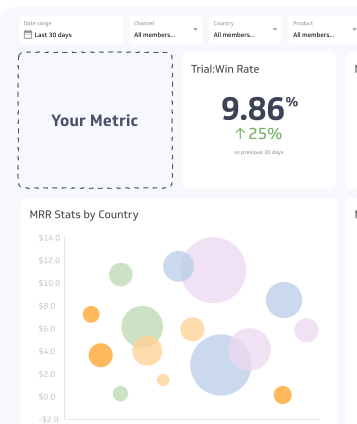
How to visualize Page Unique Views?
You can start with a basic summary chart to visualize your Page Unique Views data. This chart displays the current value that you can then compare to a previous period.
Page Unique Views visualization example

Summary Chart
Here's an example of how to visualize your current Page Unique Views data in comparison to a previous time period or date range.

Page Unique Views
Chart
Measuring Page Unique ViewsMore about Page Unique Views
Page Unique Views counts each user once per session, regardless of how many times they reload or revisit the same page during that session. A user who refreshes a page five times still contributes a single unique view.
This makes the metric a cleaner measure of audience reach than raw Page Views, which counts every load. Where page views show total consumption, page unique views show how many distinct people your content actually reached.
How page unique views differs from page views
The key difference is deduplication. Page Views increments every time a page loads. Page Unique Views increments only once per user per session.
Consider this scenario: a user lands on your blog post, clicks to another page, then hits the back button to return. Page Views records two loads. Page Unique Views records one.
This distinction matters when you want to answer "how many people saw this?" rather than "how many times was this loaded?"
How modern platforms report unique views
Analytics platforms have evolved, and the label "Unique Views" is not always consistent across tools.
Google Analytics 4 (GA4) moved away from the explicit "Unique Pageviews" label used in Universal Analytics. GA4 reports Views (total page loads) and Users (unique individuals) side by side. The Users metric is the closest equivalent to the older Unique Pageviews figure.
Social media platforms such as LinkedIn and Facebook still use "Unique Views" prominently to show the unduplicated reach of a post, page, or ad.
Content management and media platforms often surface unique views as the primary reach metric, since it reflects actual audience size more accurately than raw view counts.
Why page unique views matters
Page Unique Views gives you a realistic baseline for audience size. A few practical uses:
- Content performance: Compare unique views across pages to identify which topics attract the broadest audience.
- Campaign reach: Measure how many distinct users a paid or organic campaign drove to a landing page.
- Audience growth: Track unique views over time to see whether your audience is expanding, plateauing, or shrinking.
- Segmentation: Break down unique views by source (organic, paid, referral), region, age, or device to understand who is reaching your content and where they come from.
Limitations to keep in mind
Page Unique Views is session-scoped, not person-scoped. If the same user visits your page in two separate sessions — say, Monday morning and Thursday afternoon — both sessions count as unique views. The metric does not deduplicate across sessions.
This means Page Unique Views can overstate true unique reach over longer time periods. For a truer picture of unduplicated audience over days or weeks, look at unique users at the user level rather than the session level, where your analytics platform supports it.
Cookie deletion, private browsing, and cross-device usage can also affect accuracy. A single person using two browsers or clearing cookies may be counted as two unique viewers.
Best practices for tracking page unique views
Keep these principles in mind when using this metric:
- Define your time window clearly. Daily unique views and monthly unique views answer different questions. Be explicit about the period you are measuring.
- Pair with page views. The ratio of page views to unique views reveals repeat engagement. A high ratio means users are returning to the same page multiple times, which can signal strong interest or navigation issues depending on context.
- Segment by traffic source. Viewing unique views by channel (organic search, paid, social, email) shows which sources bring new audiences versus returning ones.
- Use alongside session data. Unique views alone do not tell you what users did after arriving. Combine with bounce rate, time on page, and conversion data to get a fuller picture.
Contributor