A team sends a campaign to 10,000 contacts. After removing 300 hard bounces, 150 unsubscribes, and 50 low-engagement contacts, Emails Sent = 9,500. This figure becomes the denominator for deliverability rate, open rate, and click rate.
Emails Sent
Last updated: Aug 11, 2026
What is Emails Sent?
Emails Sent is the total number of contacts who received your email in a given send. The count excludes previous hard bounces and unsubscribes. Depending on your email platform, it may also exclude contacts flagged for chronic low engagement.
Emails Sent Formula
ƒ Count(Emails Sent)
How to calculate Emails Sent
Start tracking your Emails Sent data
Use PowerMetrics, modern analytics platform, to monitor your data. Choose a service below to start tracking your Emails Sent instantly.


How to visualize Emails Sent?
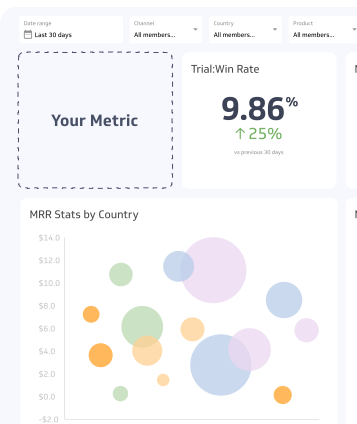
Use a summary chart to visualize Emails Sent, or segment this data in a table.
Emails Sent visualization example

Summary Chart
Here's an example of how to visualize your current Emails Sent data in comparison to a previous time period or date range.

Emails Sent
Chart
Measuring Emails SentMore about Emails Sent
Why Emails Sent matters
Emails Sent sets the scale for your entire campaign analysis. A high sent count with a low deliverability rate signals list quality problems. A low sent count may indicate over-suppression or list decay.
Tracking Emails Sent over time also reveals list growth or shrinkage, which directly affects your reach and revenue potential.
How to use Emails Sent in practice
Emails Sent is most useful when paired with other metrics rather than read in isolation.
Deliverability rate is the first ratio to check. Divide Emails Delivered by Emails Sent to understand what share of your list is actually reachable. A deliverability rate below 95% warrants list hygiene work.
Open rate and click rate both use Emails Sent (or Emails Delivered, depending on the platform) as their denominator. Knowing your sent count helps you interpret whether a low open rate reflects a content problem or a list problem.
List growth tracking uses Emails Sent as a proxy for active list size over time. If your sent count is declining despite adding new subscribers, suppression rules or list decay may be reducing your effective audience.
Common challenges
Platform differences: Not all platforms apply the same suppression rules before recording Emails Sent. Some count the full list before suppression; others count only after. Confirm your platform's definition before benchmarking or comparing campaigns across tools.
Engagement-based filtering: Platforms that automatically suppress low-engagement contacts will report a lower Emails Sent count than the raw list size. This is generally good for deliverability, but it means Emails Sent and list size are not interchangeable figures.
List decay: Email lists degrade over time as contacts change addresses or disengage. A stable or shrinking Emails Sent count despite active acquisition efforts is a signal to audit your list health and re-engagement practices.
Emails Sent Frequently Asked Questions
What does Emails Sent include?
Emails Sent counts the total number of contacts your platform attempted to deliver a campaign to, after removing hard bounces and unsubscribes. Some platforms also exclude contacts with a history of low engagement.
Is Emails Sent the same as list size?
No. Emails Sent reflects your list after suppression rules are applied. It will typically be smaller than your total list size due to hard bounces, unsubscribes, and any engagement-based filtering your platform uses.
How is Emails Sent used to calculate deliverability rate?
Deliverability rate is calculated by dividing Emails Delivered by Emails Sent. It shows what percentage of your sent emails actually reached recipients' inboxes.