Email Unsubscribes is the count of recipients who opt out of your email list over a defined time period. It measures list health, content relevance, and the effectiveness of your email communications.
A SaaS company sends a monthly newsletter to 10,000 subscribers. Over January, 45 recipients click "Unsubscribe."
Email Unsubscribes = 45
The team notes this is higher than their typical 20–25 per month. They find that January's newsletter included three promotional offers with no educational content — a departure from their usual format. They adjust the February issue accordingly.
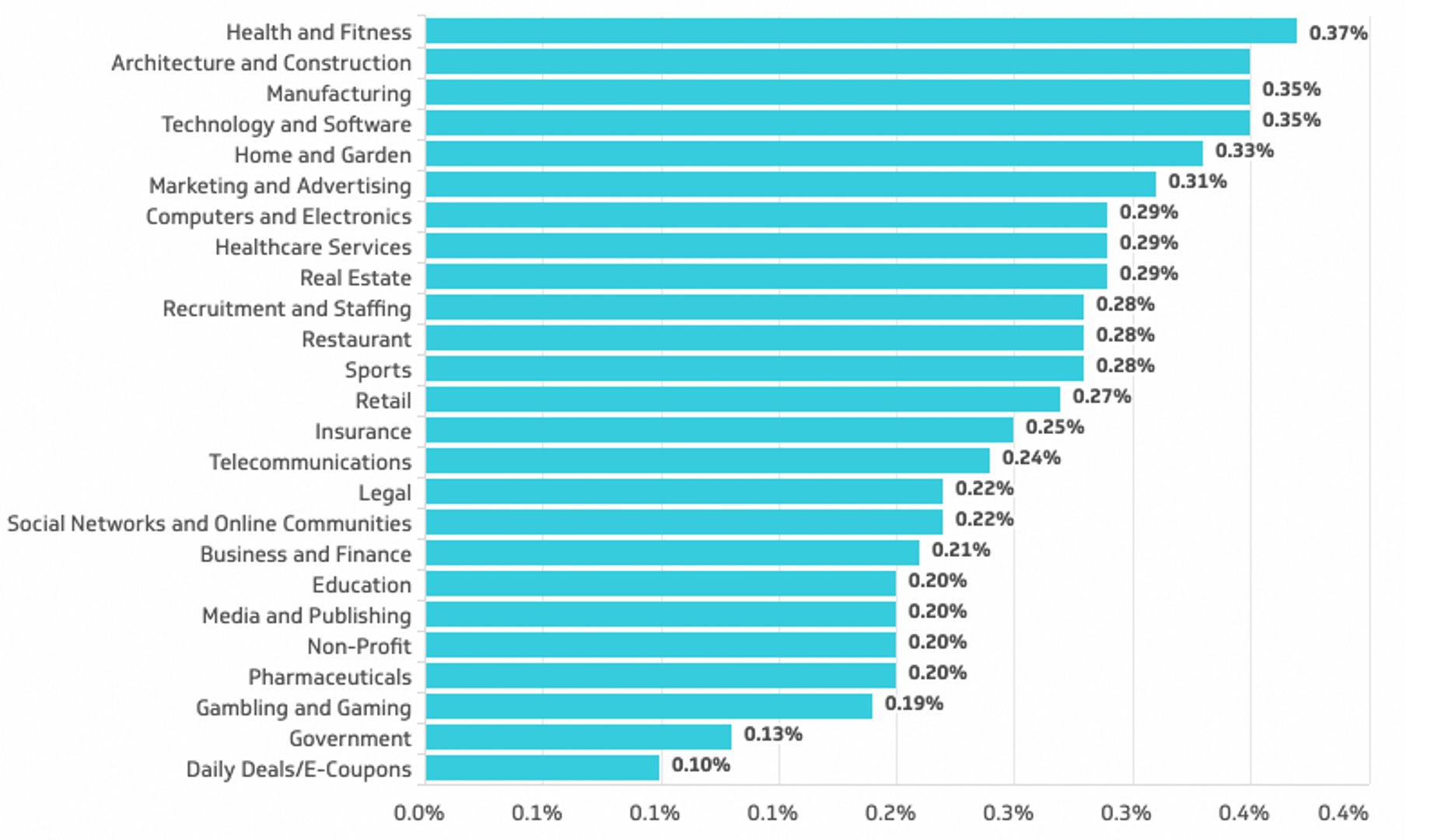
Average unsubscribe rates vary by industry and list type. According to Mailchimp's Email Marketing Benchmarks (2024), average unsubscribe rates across industries range from approximately 0.1% to 0.5% per campaign, with a cross-industry average near 0.2%–0.3%. B2C lists and promotional emails tend to sit at the higher end; transactional and B2B lists typically see lower rates. Rates above 0.5% per send warrant investigation into content relevance, frequency, or list quality.
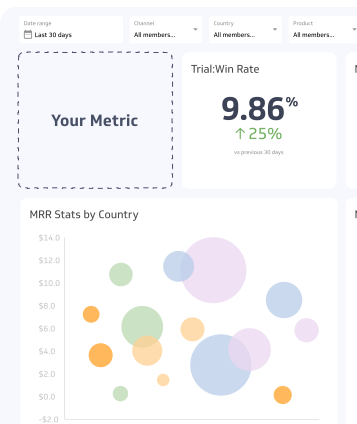
Use a summary chart to visualize your Unsubscribes data and compare it to a previous time period.
Why Email Unsubscribes matter
Unsubscribes are a direct signal from your audience. They tell you when content is irrelevant, frequency is too high, or expectations set at signup are not being met.
Beyond audience feedback, unsubscribes affect deliverability. Email service providers factor engagement signals — including unsubscribe rates — into sender reputation scores. A deteriorating reputation can push future emails into spam folders, reducing reach even for subscribers who want your content.
Monitoring unsubscribes alongside open rates and click-through rates gives you a fuller picture of list health. A low open rate with a rising unsubscribe rate is a stronger warning sign than either metric alone.
Regulatory and platform context
Governments and email platforms have introduced significant measures to reduce unwanted bulk email. CAN-SPAM in the United States and CASL in Canada impose penalties for infractions such as failing to include a visible unsubscribe mechanism. GDPR in the European Union requires explicit consent and straightforward opt-out processes.
Email clients have also taken action. Gmail and Apple Mail proactively prompt users to unsubscribe from promotional emails they rarely open. These auto-unsubscribe nudges are typically triggered by low engagement, meaning your content needs to earn attention before the platform intervenes on the recipient's behalf.
The practical implication: list hygiene and content relevance are no longer optional. Segmenting your list and matching content to recipient interests is the most effective way to keep unsubscribes low.
Best practices for managing Email Unsubscribes
Segment your list. Sending the same content to every subscriber increases the likelihood that some will find it irrelevant. Segment by behaviour, interest, or lifecycle stage to improve relevance.
Monitor frequency. Sending too often is one of the most common drivers of unsubscribes. Test cadence changes on a subset of your list before rolling them out broadly.
Set expectations at signup. Tell new subscribers what they will receive and how often. Subscribers who know what to expect are less likely to opt out when the first email arrives.
Analyse unsubscribe timing. If unsubscribes spike after a specific campaign, review that send for content, tone, or targeting issues. Patterns in timing are more actionable than aggregate counts.
Offer preference management. Give subscribers the option to reduce frequency or change content preferences before they reach the unsubscribe button. A preference centre can retain subscribers who are not disengaged — just over-messaged.
Common challenges
Conflating unsubscribes with disengagement. Some subscribers stop opening emails long before they unsubscribe. Relying on unsubscribes alone can give a falsely healthy picture of list engagement. Track open and click rates alongside unsubscribes.
Ignoring platform-initiated unsubscribes. Gmail and Apple Mail can trigger unsubscribes on behalf of users. These may not always be captured consistently by your email platform, leading to undercounting. Check your provider's documentation to understand how these are recorded.
Treating all unsubscribes equally. An unsubscribe from a long-inactive subscriber has different implications than one from a recently acquired lead. Segment your unsubscribe data by acquisition source, list age, and engagement history to identify where the problem originates.