Say your customers paid a total of $2,000 for orders processed through Stripe in one week. Stripe deducts its processing fees (for example, $58 at 2.9% + $0.30 per transaction) and deposits the remaining $1,942 into your bank account at the end of the week. That $1,942 is your payout for the period.
Payouts
Last updated: Aug 17, 2026
What is Payouts?
Payouts are the funds a payment processing platform transfers to your bank account after collecting customer payments on your behalf. The deposited amount reflects gross sales minus processor fees, refunds, and chargebacks, delivered on a schedule you configure.
Payouts Formula
ƒ Sum(Payout Amount)
How to calculate Payouts
Start tracking your Payouts data
Use PowerMetrics, modern analytics platform, to monitor your data. Choose a service below to start tracking your Payouts instantly.


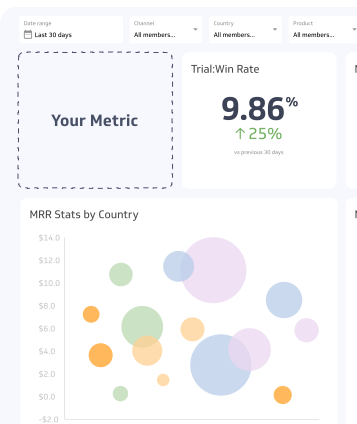
How to visualize Payouts?
Use a summary chart to keep an eye on your Payouts in comparison to a previous time period. If this amount decreased compared to a previous period, you may want to investigate the cause and rectify any anomalies.
Payouts visualization example

Summary Chart
Here's an example of how to visualize your current Payouts data in comparison to a previous time period or date range.

Payouts
Chart
Measuring PayoutsMore about Payouts
Why payouts matter
Payouts are a direct signal of cash flow health. Knowing when funds will arrive in your bank account helps you plan expenses, meet payroll, and avoid shortfalls, especially if your business runs on thin operating margins.
Tracking payouts separately from gross revenue also surfaces discrepancies. If your revenue reports show $50,000 in sales but your payouts total $47,000, the gap likely reflects processor fees, refunds, or disputes that eroded the deposited amount.
Payout schedules
Most payment processors offer flexible payout schedules. Common options include:
- Daily: Funds deposited every business day, typically with a one- to two-day processing delay
- Weekly: A single deposit at the end of each week covering all settled transactions
- Monthly: One deposit per month, useful for businesses with predictable, low-volume sales
Some processors, including Stripe, also offer instant payouts for an additional fee, which can be useful when cash flow is tight.
Your payout schedule affects how you reconcile accounts. A weekly schedule means each deposit bundles multiple transactions, so matching payouts to individual orders requires detailed transaction exports from your processor.
What affects payout amounts
The amount deposited is rarely equal to your gross sales. Several factors reduce the payout:
- Processing fees: A percentage of each transaction (typically 1.5%–3.5%) retained by the processor
- Refunds: Reversed transactions reduce the net balance before payout
- Chargebacks: Disputed transactions held back pending resolution
- Reserve holds: Some processors withhold a portion of funds as a risk reserve, particularly for newer or high-risk accounts
Understanding these deductions helps you reconcile payouts against revenue accurately and avoid surprises in your cash position.
Tracking payouts effectively
Reconcile payouts against your processor's transaction reports at least monthly. Most platforms, including Stripe, PayPal, and Square, provide itemized payout breakdowns that show which transactions contributed to each deposit.
Connect your payout data to your accounting system so that deposits are categorized correctly and not recorded as raw revenue. Recording a payout as revenue overstates income by ignoring fees and adjustments already deducted.
If you operate across multiple payment processors or currencies, track payouts by processor and currency separately to maintain clean books and accurate cash flow forecasts.
Recommended resources related to Payouts
Read more about Payouts from Stripe.Contributor