You publish a post on Facebook that receives 200 Likes, 100 Love reactions, and 100 Wow reactions. Your total Post Reactions count is 500. The breakdown shows users feel positively about the content, with strong emotional engagement beyond a passive like.
Post Reactions
Last updated: Aug 18, 2026
What is Post Reactions?
Post Reactions counts the number of reactions a social media post has received. A reaction is a one-click emotional response that goes beyond a simple like, capturing sentiments such as love, laughter, anger, and sadness. Businesses use Post Reactions to gauge audience sentiment and content performance.
Post Reactions Formula
ƒ Count(Post Reactions)
How to calculate Post Reactions
Start tracking your Post Reactions data
Use PowerMetrics, modern analytics platform, to monitor your data. Choose a service below to start tracking your Post Reactions instantly.

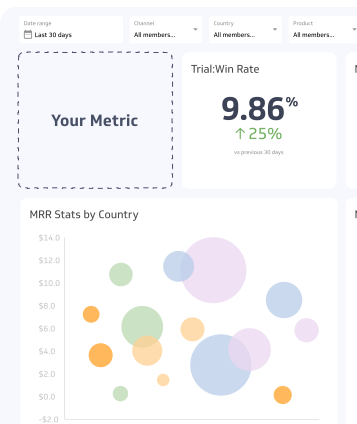
How to visualize Post Reactions?
To visualize your Post Reactions in a dashboard, you can use a simple summary chart to display the current value or a table to segment reactions by post. However, it's important to track other metrics such as engagement rate and click rate along with Post Reactions to get a better understanding of your social media post performance.
Post Reactions visualization example

Summary Chart
Here's an example of how to visualize your current Post Reactions data in comparison to a previous time period or date range.

Post Reactions
Chart
Measuring Post ReactionsMore about Post Reactions
Post Reactions extend the insight you get from Post Likes by capturing emotional nuance. A post that generates Anger or Sadness reactions may go viral, but it signals something very different from one that drives Love or Laughter.
This distinction matters for two reasons:
- Sentiment analysis: Reaction breakdowns reveal how your audience actually feels about your content, not just whether they noticed it.
- Algorithmic weighting: Social media platforms weight reactions differently in their feed algorithms. Facebook, for example, prioritizes content more likely to earn a Love reaction when serving ads, based on each user's past behaviour with reactions.
Tracking reaction type, not just reaction count, helps you understand which content themes resonate positively and which generate friction.
How to use Post Reactions effectively
Reaction data is most useful when you move beyond the total count and look at the composition.
Break down by reaction type. A high reaction count dominated by Anger or Sadness warrants a different response than one led by Love or Laughter. Review the split before drawing conclusions about content performance.
Track over time. Reaction patterns shift as your audience grows and your content mix changes. Monitoring trends helps you identify which content formats and topics consistently drive positive sentiment.
Pair with reach and impressions. A post with strong reactions but low reach may have resonated deeply with a small audience. Combining Post Reactions with reach data gives you a fuller picture of both quality and scale of engagement.
Use reactions to inform ad creative. If organic posts with a specific tone or format consistently earn Love reactions, that signal is worth applying to paid content. Platforms reward content that users engage with emotionally.
Common challenges
Reactions don't capture intent. A Sad reaction could mean your audience empathizes with a cause you're supporting, or that they disliked the content. Context matters. Pair reaction data with comments and direct feedback to interpret ambiguous signals.
Platform differences. Not all platforms offer the same reaction types or weight them the same way. Avoid comparing raw reaction counts across platforms without accounting for these differences.
Reaction counts can be gamed. Provocative or divisive content often drives high reaction volumes. High counts alone are not a reliable proxy for content quality or brand health.
Recommended resources related to Post Reactions
Read about the 2021 Facebook newsfeed rankingContributor